A quick reply.
Say the message you want to write. Use insertion in a supported app, or copy it over.
Welcome to Aura
Dictate messages, emails, and notes on your Mac. Insert text where supported, or copy and paste it into the app you’re using.
See how Aura worksMac beta in development
For the things you write every day
Say the message you want to write. Use insertion in a supported app, or copy it over.
Talk through what you want to say. Use the text as a starting point, then review before sending.
Dictate a note while it’s on your mind. Keep the words for whatever comes next.
How Aura works
Start with a shortcut. Choose optional refinement and how your text is delivered.
Shortcut activation
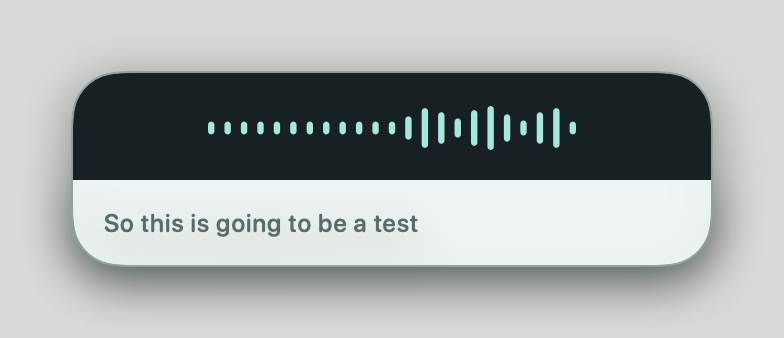
Use your shortcut to dictate. See your words appear as you speak, then finish to begin processing and delivery.
Hold to Talk Hold your configured shortcut while speaking. Release it to finish. Hands-Free Press the shortcut to start. Press it again to finish.
Mac beta feature guide. Interface preview uses sample speech.
Requires macOS 26 and an available Apple Intelligence model. Refinement can leave text unchanged. When it is off or unavailable, Aura delivers recognized text without semantic refinement.
Insertion requires Accessibility permission and a suitable text field that remains focused. Results depend on the receiving app; recovery can offer copy or retry. Copy instead of insert sends finished text to the clipboard.
Aura is in beta. Insertion support varies by app; copy and paste provides an alternative.
Keep it your own
Leave refinement off to keep recognized text. Enable it for optional wording and punctuation improvements when available.
For recurring corrections, review saved captures and approve what Aura uses in future dictation. You can forget an approved correction later.
Made by Hector Apodaca
I’m building Aura for the moment when you know what you want to say, but still have to type it all out. The goal is to make speaking a practical way to write in the apps you already use.
I want the experience to feel clear from start to finish: see the words as you speak, choose whether Aura refines them, and decide whether the result is inserted or copied. Your thought should stay yours.
Behind the product
See how I approach practical problems through operations, design, and independent app development.