The problem
A screenshot saves the pixels, but not always the context. References get lost, and a pile of captures rarely explains the point on its own.

STUDIO PRODUCT / MAC APP
Keep the reference. Share the point. Capture a detail, hold it beside your work, and find it again when you need it. Bring related captures together in a Brief with enough context to share.
Explore the product ↗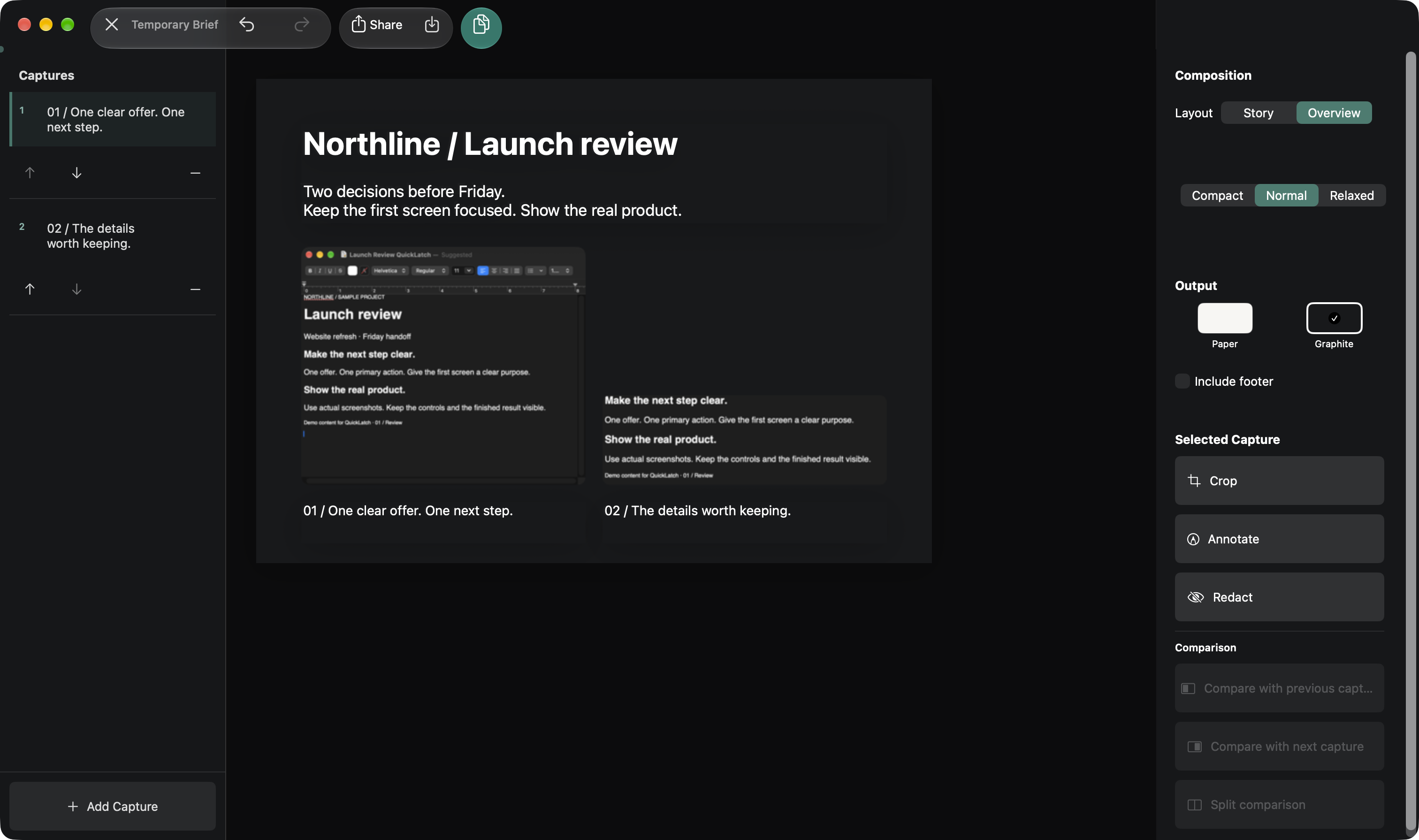
A screenshot saves the pixels, but not always the context. References get lost, and a pile of captures rarely explains the point on its own.
Keep capture close to the work. Halo offers Region, Window, Screen, Scroll, Record, and Text. A floating latch holds a reference beside another app; save what matters to the Library.
With Pro, search for words recognized inside your captures, organize workspaces, or record your screen. Briefs bring two to eight images together with crops and captions, ready to copy, share, or export as PNG, JPEG or PDF.
Built for the Mac. Native Swift and SwiftUI, with ScreenCaptureKit and on-device text recognition. Captures stay in the app sandbox. Optional iCloud Drive sync is off until you enable it.
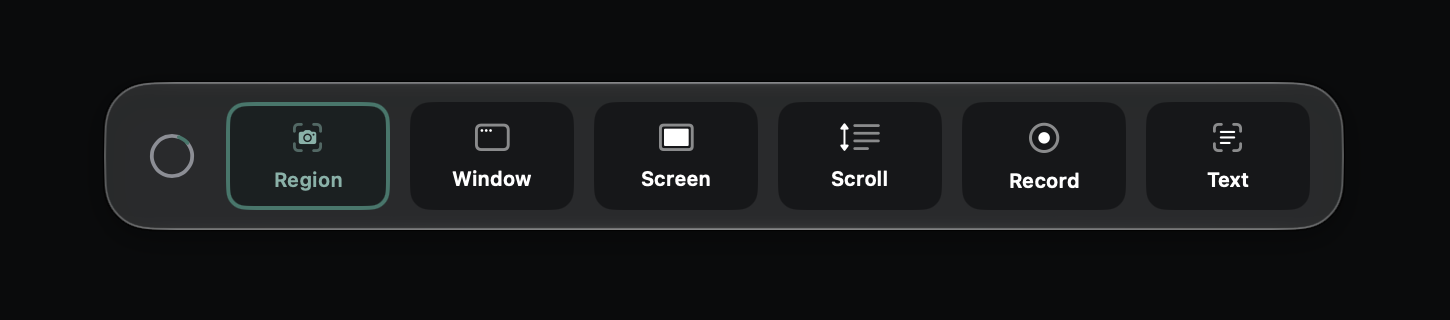
Halo keeps the capture choices together. Pick the region, window, or screen that carries the idea.
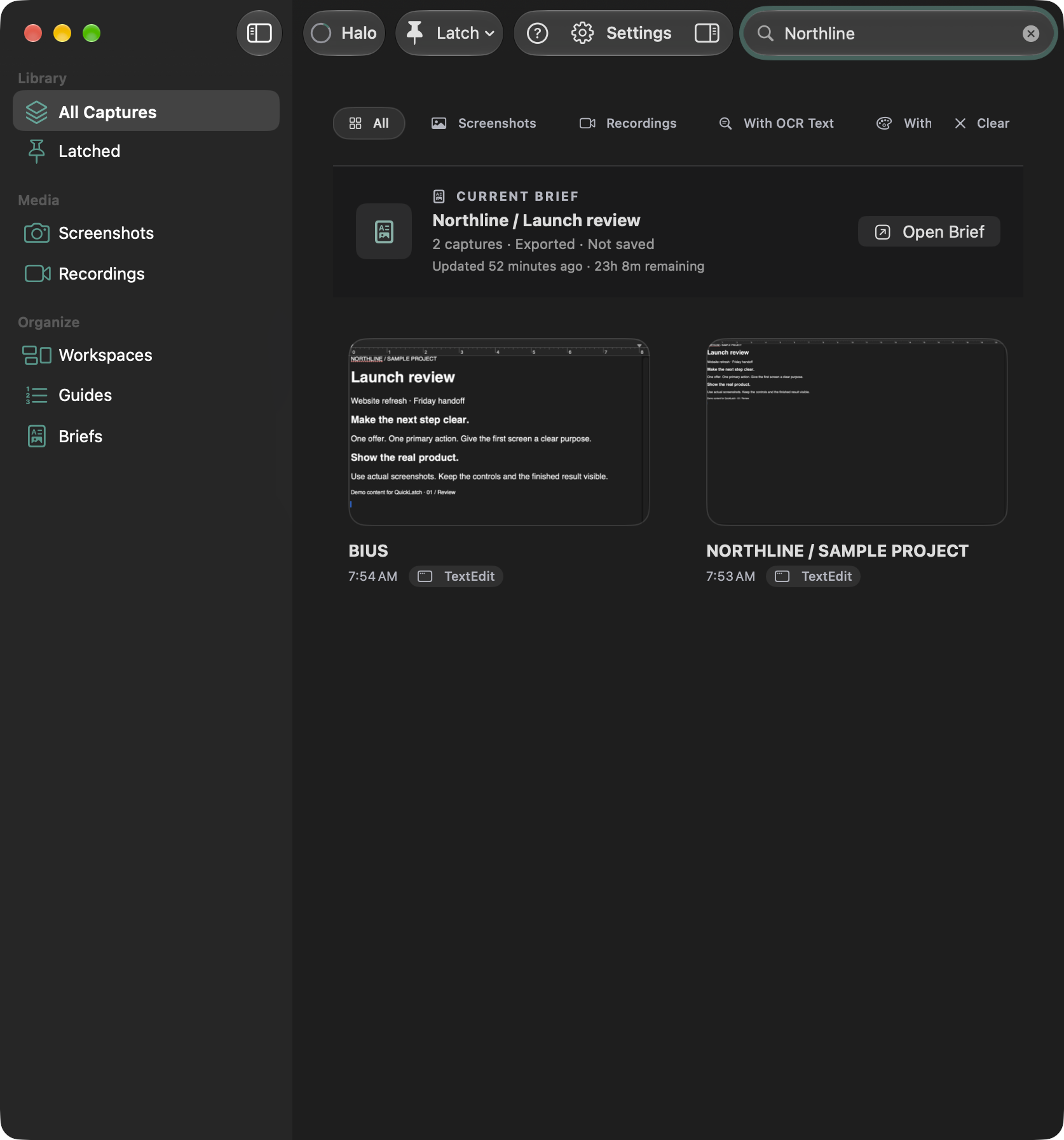
Pro Library search can find the words inside a capture. Here, a search for Northline brings the sample project back into view.
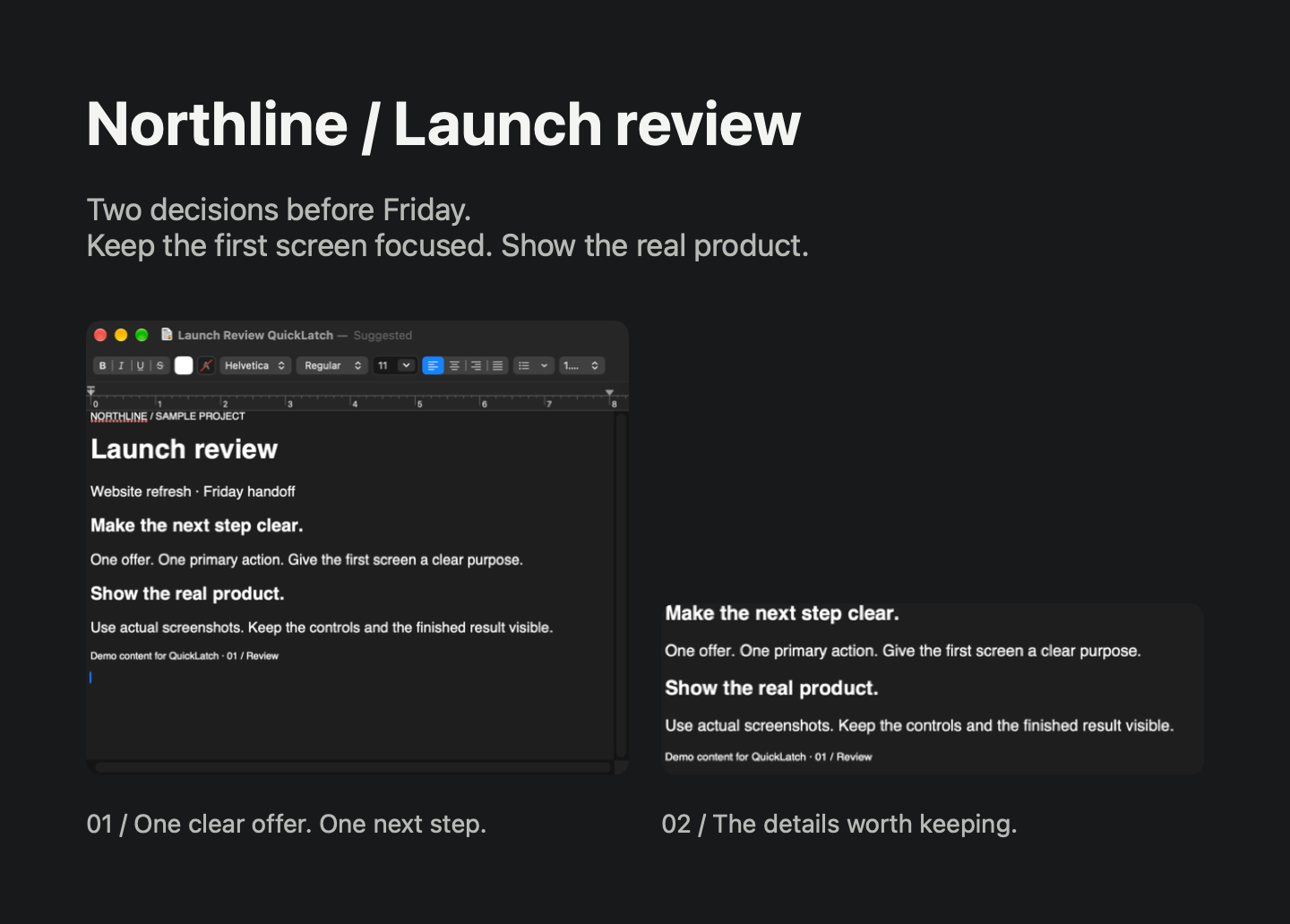
A full reference and a focused detail, together with the decision they support. This PNG was exported directly from QuickLatch, using the Graphite background and Overview layout.
Basic capture, floating references, saved Library, image copy and export, and Tutorials are included free. One successful screenshot-to-code preview per install gives a look at interface reconstruction; code copying and export require Pro.
Pro adds Briefs, Library search, workspaces, recording, and screenshot-to-code with code copying and export. The planned price is $19.99 USD, one time, with no subscription.
QuickLatch is preparing for release. There is no public download or announced release date yet.
See QuickLatch and release status ↗A sentence or two about your product and timeline is plenty.
Start a project ↗ ← Back to the work